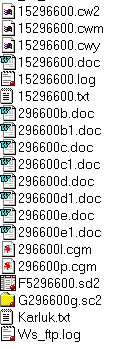
 Open up all the files in the gage numbered folders by selecting all
files that have gage#+letter in Explorer and "enter". Note that most
of the word files have the gage # minus the first number.
Open up all the files in the gage numbered folders by selecting all
files that have gage#+letter in Explorer and "enter". Note that most
of the word files have the gage # minus the first number.Open up all the files in the gage numbered folders by selecting all
files that have gage#+letter in Explorer and "enter". Note that most
of the word files have the gage # minus the first number.
Tools/Macro/Record New Macro
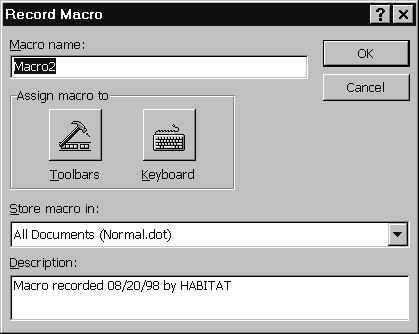
Give it an easy to remember name and click on "keyboard", at which point you’ll see
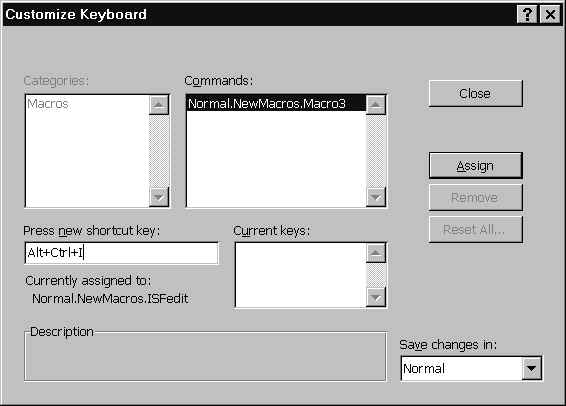
You’ll need to put the cursor in the "press new shortcut key" box and hit Alt-Ctrl-I and then click "Assign". This is your keyboard shortcut. Now close.
Now you’ll see this:

This means you should click on the buttons/functions you want to record. The square button is to stop recording and the one with two lines and the circle is pause. In our case, we want to change the documents to "courier new" font, 7 pt as well as remove the first page. Removing the first page can be sort of tricky and may have to be done manually, but key in these commands:
Delete, delete, Ctrl-A, courier new, 7pt, 100%, save
These are a combination of keyboard and menu/toolbar commands. This should (hopefully) take the extra page out, select all, change text to courier, change text to 7 point, change view to 100%, and save. At the end, if some of the tables look sort of funny, hit the undo key and it will change it to a better view (I have no idea why). Use the Window command to change between the documents (there should be eight or so) and use the Alt-Ctrl-I on each of them. You can then close them. It may ask if you want to save the one’s that you had to use the undo trick on, so say yes.
If you get a "Formatting will be lost if converted to Text-Only Format", don't worry, just proceed.
There you have it.
Return to ISF Tutorial Appendix Table of Contents
Return to ArcView Tutorial 4: List of Topics
Return to Main Menu